

Keep models loaded and switch between them
A model has to be loaded on the controller's inference server before it can predict, and loading takes seconds. The inference nodes load their model on demand and release it when they move on to another one, so the first image after a restart, or after a switch of model, waits. The «model manager» node loads models in advance and keeps them loaded, and frees them when you need the memory. In this guide you see the difference on the first image of a flow.
What you will learn
- Why the first image of a model takes longer
- How to load a model before the first image arrives
- How to free a model you no longer need
Before you start
Here «inspect» names the model in msg.modelName, test_01, and brings a pack of biscuits from a dataset. The inferencer takes its model from the message («Model source» set to the message); see Run a trained model on an image. The debug node «time» shows how long each image took, in milliseconds. «load test_01» and «release test_01» are two inject nodes with the requests you send to the model manager.
1. Inspect the first image
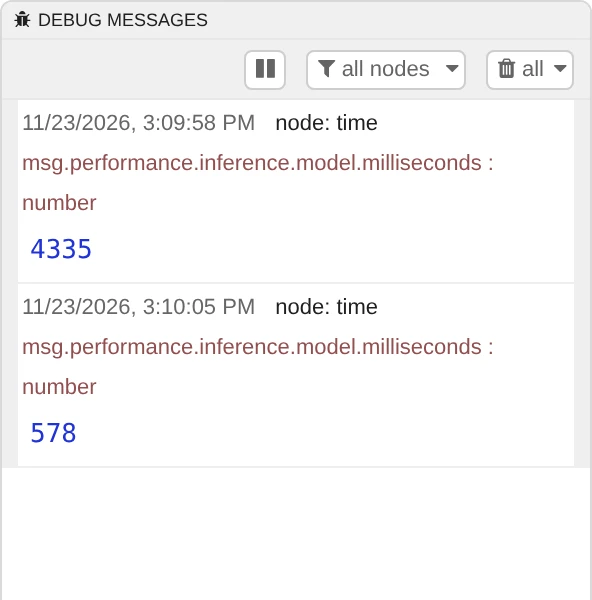
Press «inspect». The first image waits while the inference server loads the model, and takes several seconds. The status of the inferencer splits that time: most of it is «Server».

2. Inspect the next one
Press «inspect» again. The model is loaded now, and the image takes a fraction of the time. It stays loaded while a node uses it; a node that switches to another model releases it, and a restart of the controller empties the server.
3. Add a model manager
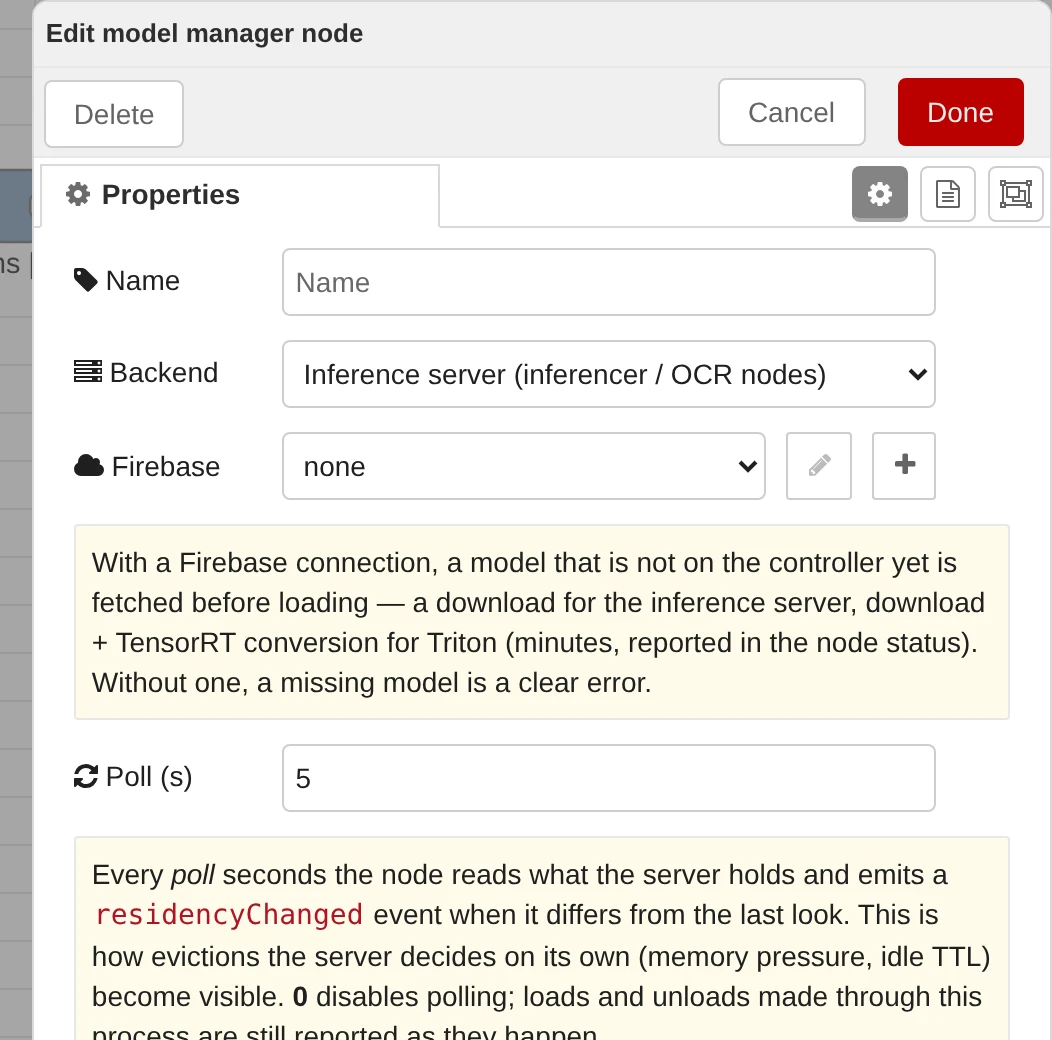
Type model-manager in «filter nodes», drag the node onto the workspace, wire «load» and «release» to it and its first output to the debug node «manager». Open it. «Backend» is the server it manages: «Inference server» for the inferencer and OCR nodes, «Triton» for the Triton inferencer. With a «Firebase» connection it also downloads a model that is not on the controller yet.
4. Free the model
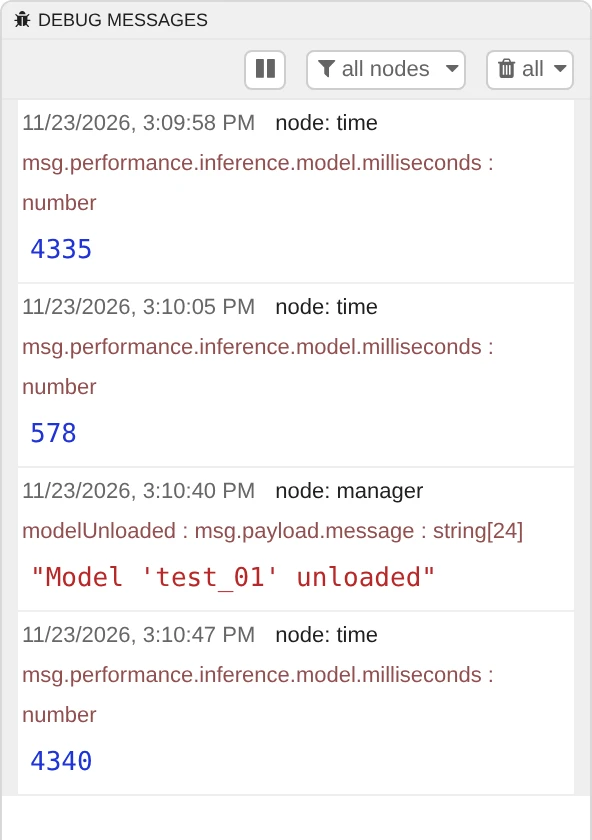
Click «Done» and deploy. Press «release test_01»: the request {"type": "unloadModel", "model": "test_01"} frees the model now, and the reply names the nodes that still use it. Those load it again on their next image, so press «inspect»: it waits for the model again.
5. Load it in advance
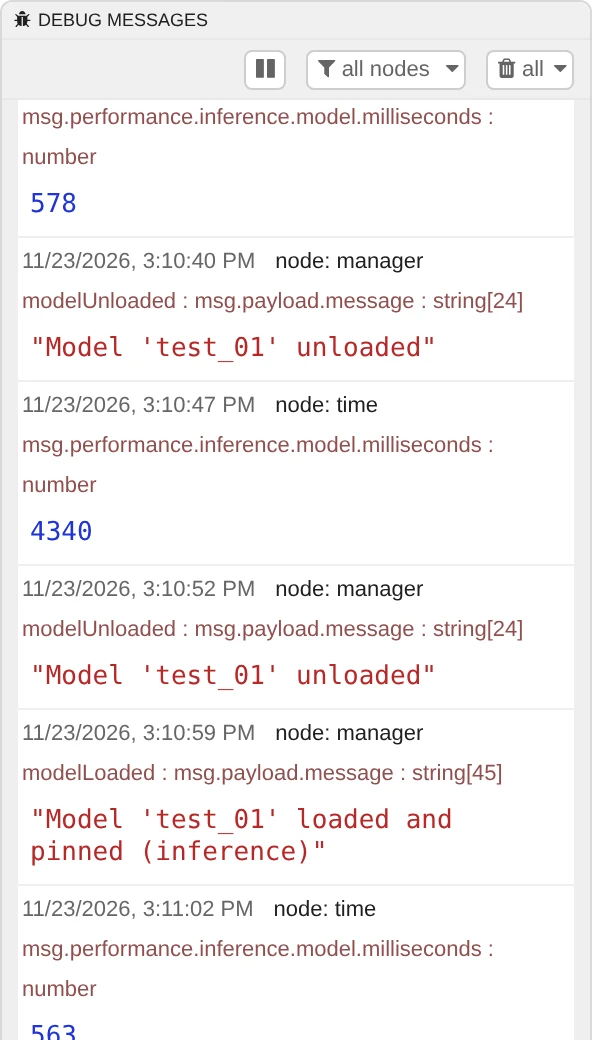
Press «release test_01» once more, then «load test_01»: the request {"type": "loadModel", "model": "test_01"} loads the model and pins it, so it stays loaded even when a node moves on to another model. Press «inspect»: the image no longer waits. On a line, send the request from an inject node set to «Inject once», so the models are ready before the first part arrives.
Switch between models
An inferencer whose «Model source» is the message runs whichever model msg.modelName names, so one flow can inspect several products: set the name with a change node, from a recipe or from the panel. Each switch loads the new model and releases the old one, unless a model manager holds them. Send {"type": "setModels", "models": ["model-a", "model-b"]} once: the manager loads them one by one, replies when all are ready and keeps them loaded, and every switch is as fast as the next image.
Good to know
- Other requests.
"loadedModels"asks what the server holds and why, and{"type": "unloadAll"}empties it, also the models of other flows, which load theirs again on their next image. - Pins belong to the node. A model the manager loaded is held under its name. Removing or deploying the manager again releases them.
- Memory. The inference server holds as many models as its memory allows. The manager's second output reports what loads and unloads, also when the server frees a model on its own.
Next steps
Recorded on Rosepetal release 1.8.15, Node-RED 5.0.10.